


NWS Weather Report
4.459.00 Reviews
App Specs
- Version
- 8.2.0
- Updated On
- License
- Free
- Downloads
- 10,000+
- Developer
- Weather Report LLC
- Categories
- Weather
- Platform
- Android
Screenshots
 Analysis by AppCompare
Weather apps are easy to underestimate until you need one at the exact moment conditions start changing. I spent time using NWS Weather Report as a practical daily weather tool, looking less at polished presentation and more at whether it helps me decide what to wear, when to leave, and whether outdoor plans need a backup. My overall impression is that it is a focused choice for people who want live radar, forecasts, and serious-weather information in one place rather than a decorative forecast screen.
NWS Weather Report is a free weather app from Weather Report LLC for Android devices running version 10 or later. It is aimed at an Everyone audience, so the basic concept is straightforward enough for a household phone, a family tablet, or a personal device used by someone who does not want to study meteorology before checking the forecast.
What the app is really useful for
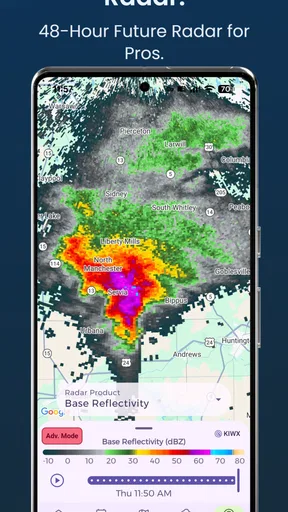
The strongest reason to install this app is the combination of radar and forecasts. A simple temperature number tells me what the weather is like at a particular moment, but radar helps answer a more useful question: what is moving toward me, and how soon might it arrive? That difference matters when I am deciding whether I can walk to a shop, start a commute, or keep an outdoor appointment.
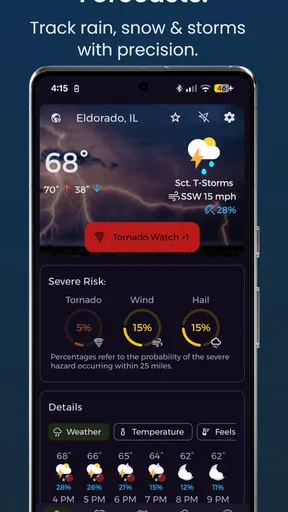
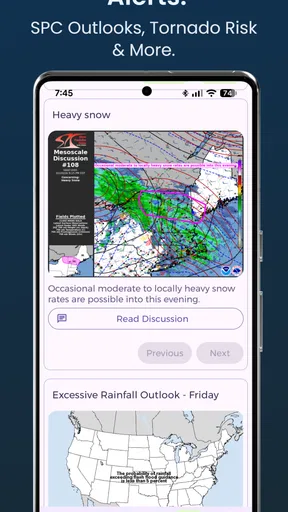
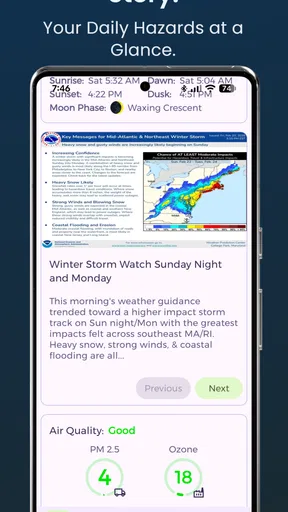
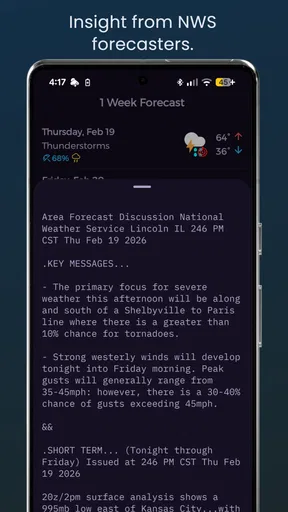
The app also focuses on severe weather alerts from NOAA. That gives the experience a more practical tone than a typical weather widget built mainly around attractive icons. I would use it when routine conditions are not enough, especially during storms or rapidly changing weather. The alert emphasis is valuable because it shifts attention from casual checking to preparation.
In everyday use, I would open it twice for different reasons. In the morning, I would look at the forecast to plan clothing and travel. Later, if dark clouds appeared or an alert arrived, I would switch to radar to judge whether the weather was approaching, passing nearby, or already moving away. That workflow is more useful than repeatedly refreshing a temperature reading.
One practical habit is to check radar before leaving rather than waiting until rain is visible outside. A forecast can describe the broader period, while radar gives a more immediate sense of movement. I would not treat either view as a guarantee, but using them together gives me better context than relying on a single hourly symbol.
Forecasts are most helpful when read with context
I found that the app makes the most sense when I use the forecast as planning guidance rather than a promise. A forecast can support decisions about a commute, a walk, or an outdoor task, but small changes in location and timing can matter. Radar is particularly helpful as a second opinion when the forecast feels too broad for what I am seeing outside.
Worth Reading Before You Choose

Flipboard Shows What News Apps Must Do Beyond the Feed

Switching to Android Auto Means Rethinking Your Driving Routine

Google Calendar Makes a Crowded Week Easier to Manage

Ludo King Makes the Most of the Minutes Between Plans

Baby Panda World Brings Quick Play to Modern Phones, but Its Game Library Feels Busy

ESPN’s Live Game View Makes Following Close Games Easier
That distinction is important for anyone comparing this app with the weather panel already built into a phone. The built-in option may be faster for a quick glance, but NWS Weather Report is more appealing when I want to investigate conditions instead of merely reading one number. Its value comes from the extra attention given to radar and severe-weather information.
The NOAA alert angle is also a reason to keep the app available even if another service handles casual forecasts. Some people will not need to open a weather app every day, but they may still want a dedicated place to check serious conditions when the situation changes. In that role, it can complement a basic phone forecast rather than replace every other weather source.
How the free access affects the decision
The app is free to install, which removes the biggest barrier for someone who simply wants to test its radar and forecast approach. I can try it during ordinary weather, compare its usefulness with my current routine, and decide whether it deserves a permanent place on my phone without paying upfront.
There are in-app purchases ranging from $1.99 to $59.99 per item. That is a wide span, so I would not assume that every useful part of the experience is included in the same way or that the most expensive option is necessary. The sensible approach is to begin with the free experience and only consider a purchase after identifying a feature or convenience I would genuinely use.
This is where the app’s value needs a little discipline. Free access is attractive, but a price range that reaches $59.99 means a user should read each purchase screen carefully before confirming anything. I would judge paid value by a simple test: does the extra service improve a regular weather workflow, or am I paying for something I will open only during rare storms?
For occasional users, the free starting point may be enough. For someone who checks conditions frequently and finds the app’s presentation clearer than alternatives, a purchase could be easier to justify. The important point is that the verified cost information supports trying the app first, not automatically recommending every paid option.
Where it fits beside ordinary weather alternatives
Most phones already offer a convenient forecast view, and many people are satisfied with that. If I only need the current temperature before leaving home, opening a built-in weather panel is usually quicker. NWS Weather Report becomes more compelling when I need to understand movement, timing, and alerts in a more deliberate way.
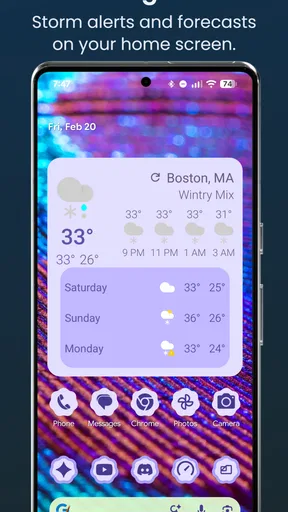
It also differs from a weather widget because a widget is designed for glanceable information. Widgets are excellent for reducing friction, but they rarely encourage the same kind of investigation as a radar-centered app. I see this app as a tool I open when the weather matters, not necessarily as something that must occupy the most prominent space on my home screen.
Compared with a general-purpose weather service, the NOAA severe-weather focus gives it a clearer identity. That can be a strength for users who care about official alert information. It may be less appealing to someone who wants a broad lifestyle dashboard filled with unrelated extras, since the reason to choose it is weather awareness rather than entertainment or customization.
Small habits that make the app more useful
My first recommendation is to compare the forecast with the radar before making a time-sensitive plan. If the forecast suggests rain later but the radar shows a nearby band already moving in, I would change my departure time rather than relying on the broad wording. Conversely, if the radar shows activity moving away, I might avoid cancelling a plan too early.
My second recommendation is to use severe-weather alerts as a prompt to investigate, not as a reason to panic. An alert tells me that conditions deserve attention, while radar and the forecast help me understand what action makes sense for my location. This two-step habit is more useful than treating every notification as equally urgent.
My third recommendation is to keep the app for decision points instead of checking it compulsively. Weather information becomes noisy when I refresh without a purpose. I get more value by checking before travel, before outdoor work, and when conditions change suddenly. That makes the app part of a routine rather than another source of constant notifications.
A fourth useful approach is to compare what the app says with what I can observe locally. No weather application can remove the uncertainty caused by fast-moving systems or very local conditions. If the sky, wind, and radar disagree with a broad forecast, I would give that disagreement serious attention and build in extra time or an indoor alternative.
Limitations I noticed in the overall proposition
The first limitation is that radar and alerts are not automatically the same as perfect local accuracy. They improve awareness, but they do not guarantee that a storm will affect every street in the same way or arrive at an exact minute. Users looking for certainty may become frustrated if they expect the app to eliminate normal forecasting uncertainty.
The second limitation is the unclear personal value of the in-app purchase range until I know which paid options matter to me. A free app is easy to try, but the presence of purchases means I would avoid assuming that every convenience is included permanently. This is not a reason to reject the app; it is a reason to make the purchase decision slowly.
The third limitation is that it may be more than some people need. If my only question is whether I need a jacket, a built-in phone forecast can be faster. I would not recommend installing a dedicated weather app simply because it has more information. The extra information earns its place when I actually use radar or severe-weather alerts.
There is also a learning curve in interpreting radar responsibly. New users may see colored activity and immediately assume the strongest-looking area is heading directly toward them. I would spend a little time learning how movement and timing relate to my location. That small effort improves the experience, but it means the app is not entirely passive.
Who will get the most value?
I think the app is a good match for commuters, parents planning school runs, people who work outdoors, hikers, travelers, and anyone living in an area where storm conditions can change quickly. These users benefit from more than a static temperature because timing and movement affect real decisions.
It is also a sensible secondary weather tool for someone who already likes a different app for long-range planning. I would keep this one available for radar and NOAA-related alerts while using another service for any broader information I personally prefer. There is no rule that one weather app must handle every purpose.
Families may appreciate the straightforward Everyone rating, especially when several people share a device or need a simple way to check conditions. Still, I would explain to younger users that an alert is information requiring attention, not a substitute for adult judgment or local safety instructions.
I would be less enthusiastic for someone who wants a highly personalized lifestyle dashboard, extensive visual customization, or a weather experience built mainly around widgets. The app’s appeal is its practical weather focus. If my priority is a beautiful home-screen glance with minimal interaction, the phone’s default option may be a better fit.
What the adoption numbers suggest
The app has an average rating of 4.4 from 164 ratings, with 60 written reviews, and it has passed 10K installs. Those figures suggest a modest but positive user base rather than the scale of a dominant weather platform. I would read that as encouragement to try it, not as proof that it will suit every location or every personal routine.
The release date is November 27, 2023, and the current version is 8.2.0. I mention those details because they help place the app in context: it is not something I would evaluate only by its name or summary. I would install the current version on a compatible device and judge how comfortably it fits my own checking habits, especially around alerts and radar.
Since the minimum operating-system requirement is version 10, owners of older devices should check compatibility before planning around it. For a reasonably current Android phone, that requirement is unlikely to be a major obstacle, but it matters for older hardware kept as a backup or shared family device.
My buy-or-skip verdict
I would recommend trying NWS Weather Report if I wanted a free-first weather app with live radar, forecasts, and NOAA severe-weather alerts. Its strongest use is not replacing a quick temperature glance; it is helping me make better decisions when timing and changing conditions matter. That gives it a clear purpose and makes the free entry point worthwhile.
I would skip it if I rarely check weather, dislike interpreting radar, or only want a tiny widget on the home screen. I would also avoid paying for any in-app option until I had used the free experience long enough to identify a recurring need. The purchase range makes careful selection more sensible than an automatic upgrade.
For me, the best value comes from combining the app’s forecast with radar at specific decision points: before leaving, before starting outdoor work, and after a serious alert. Its real advantage is informed timing, not a promise of perfect prediction. If that is the kind of help I want from a weather app, this is a practical choice. If I only need a one-second glance, my phone’s standard weather tool is probably enough.
Overall, I see NWS Weather Report as a focused, useful weather companion rather than an all-purpose information hub. Weather Report LLC has given it a clear role, and the free installation makes that role easy to test. I would keep it installed for storm awareness and radar checks, while remaining realistic about forecast uncertainty and selective about optional purchases.
Pros
- Clear
- reliable forecasts from the National Weather Service
- Useful radar and warning information for severe weather
- Covers locations across the United States
- Provides detailed hourly and extended forecasts
- No subscription is required for core weather information
Cons
- Limited usefulness outside the United States
- Interface may feel basic compared with modern weather apps
- Some data updates can take time during busy weather events
- May require location permissions for local forecasts
- Lacks lifestyle features such as widgets or personalized alerts
FAQs for NWS Weather Report
What is NWS Weather Report, and what information does it provide?
NWS Weather Report is a weather-focused app that presents forecasts and alerts based on information from the U.S. National Weather Service. It can help users check current conditions, upcoming forecasts, radar or warning information, and weather-related updates for selected locations. It is especially useful for people who want official U.S. weather data in one convenient place, although the exact features may depend on the app version and location settings.
Does NWS Weather Report provide accurate and official weather alerts?
The app is designed around National Weather Service information, which is one of the main official sources for weather forecasts and emergency alerts in the United States. However, no forecast can be perfectly accurate because conditions change quickly and severe weather may develop unexpectedly. Users should keep location services and notifications enabled, check alert details carefully, and follow instructions from local authorities during dangerous conditions.
Can I use NWS Weather Report outside the United States?
NWS Weather Report is primarily intended for locations covered by the U.S. National Weather Service, so its usefulness may be limited outside the United States. Travelers may still be able to view some information depending on the app’s location search and available data, but international forecasts and alerts are not its main purpose. Users abroad should also install a trusted local weather or emergency-alert application.
Does the app require location access or an internet connection?
The app may request location permission to display weather conditions, forecasts, and alerts for your current area. You can often deny automatic location access and enter a city or ZIP code manually, depending on the available settings. An internet connection is generally needed to retrieve updated forecasts, radar images, and warnings. Previously loaded information may remain visible briefly, but it should not be treated as current.
Is NWS Weather Report free to download and suitable for everyday use?
NWS Weather Report is generally aimed at providing weather information without requiring users to purchase specialized equipment or subscriptions, but availability, advertising, and optional features can vary by platform and version. It is suitable for everyday checks such as temperature, rain chances, and forecasts, as well as monitoring warnings. Before downloading, review the store listing for current pricing, permissions, privacy details, and device compatibility.


